
From Lazy Prompt to High-Impact Prompt: A Five-Minute Makeover
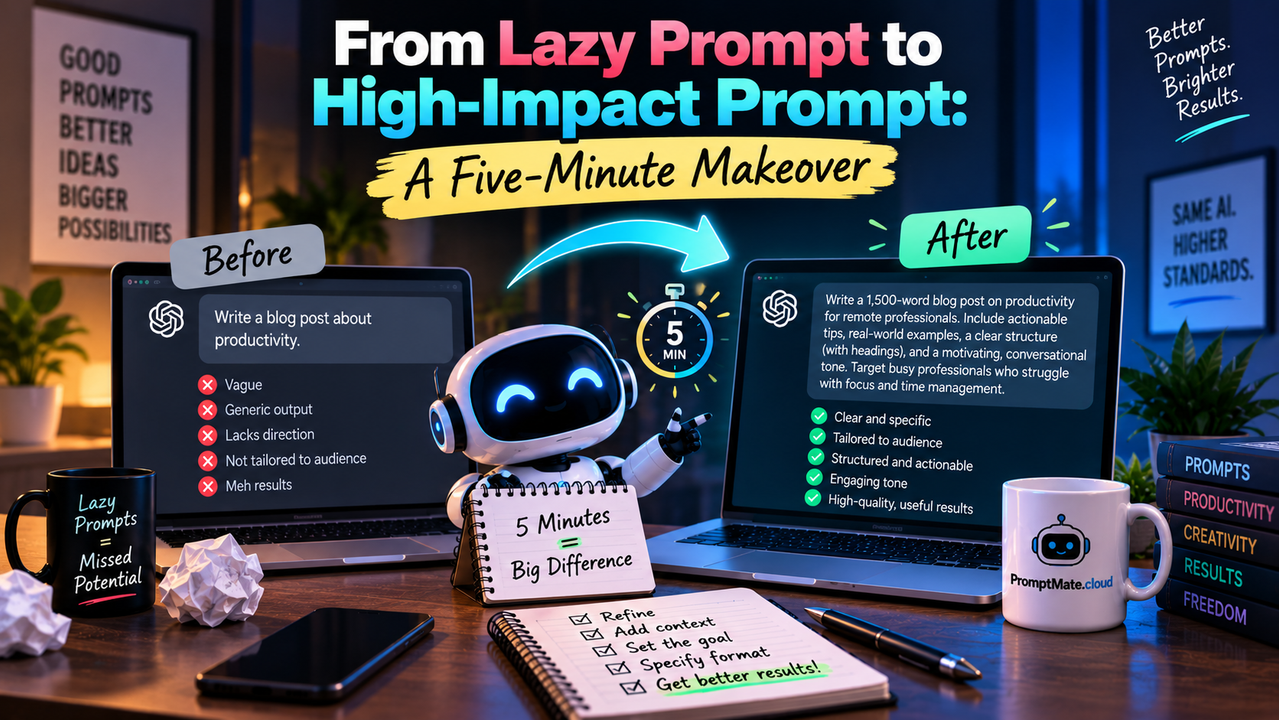
Last month a friend who runs a small design agency sent me a screenshot. She had typed "write a proposal for a website redesign" into an AI tool, received 600 words of generic boilerplate, and spent the next 45 minutes rewriting it into something she could send. Her comment: "I could have just written it myself."
She was right. And the fault was not the model. The prompt gave it nothing to work with. Nine words, no client, no scope, no budget, no voice. The AI did exactly what it was asked, which was almost nothing.
Most people have a version of this story. The fix is smaller than you think.
The Problem: Three Ways Prompts Fail
Lazy prompts share the same flaws. Once you can name them, you can fix them.
Vagueness. "Write a blog post about productivity" describes a category, not a task. The model picks the most average interpretation and delivers the most average post. You get content that could belong to anyone, which means it belongs to no one.
Missing context. The model does not know your audience, your product, your past work, or the thing your customers complain about most. If you leave that out, it fills the gap with guesses. Guesses look confident and cost you revision time.
Unclear intent. "Improve this email" could mean shorten it, warm it up, make it more direct, or fix the grammar. Without a stated goal, the model chooses for you, and it rarely chooses what you meant.
Each flaw alone produces a mediocre result. Together, they produce the 45-minute rewrite.
The Solution: A System Instead of Guesswork
You can fix every prompt by hand if you know the patterns. Most people do not, and the ones who do still forget under deadline pressure.
PromptMate.cloud turns the fix into a repeatable step. You paste your rough request, and it rebuilds it into a structured brief: role, audience, goal, constraints, format, and quality criteria. It pulls context from documents you have uploaded once, runs the prompt, and returns the output with a built-in second pass. The makeover that takes an expert five minutes takes you thirty seconds.
Here is what that looks like in practice.
Step-by-Step Transformation
Step 1: Identify the weak prompt
Start with what you would normally type. Do not clean it up. The tool works best on honest first drafts.
Before:
Write a proposal for a website redesign.
Run this through the analyser and it flags four gaps: no client named, no scope, no pricing structure, no tone. That diagnosis alone tells you why the last output disappointed you.
Step 2: Add specificity, constraints, and tone
The tool asks a short series of questions to fill those gaps. You answer in plain language. It assembles the answers into a prompt the model can act on.
After:
You are writing a website redesign proposal for a 12-person dental clinic in Miami. The reader is the practice manager, who has been burned by a previous agency that overpromised and missed deadlines. Her priorities, in order: trust, timeline clarity, and cost predictability.
Scope: five-page site, bilingual English and Arabic, online booking integration, mobile-first. Budget range $8,000 to 14,000 with three milestone payments.
Tone: direct and reassuring. No agency jargon. Every section should answer a question she is likely to ask.
Format: one-page executive summary, then sections for Scope, Timeline (with week-by-week milestones), Investment, and Why Us. Under 900 words. End with a single next step.
Before finalising, check the draft against this list: Does it name a specific delivery date? Does it explain what happens if a milestone slips? Does it avoid claims you cannot back with a named past project?
Step 3: Compare the outputs
The first prompt produced a template with placeholder brackets and phrases like "leverage modern design principles." The second produced a proposal with a delivery date, a slip-handling clause, three named milestones, and a closing line the practice manager could reply to with one word.
Same model. Same afternoon. The only variable was the prompt.
A second example, for developers
Before:
Review this function.
After:
Review the attached Python function, which parses CSV uploads from customers and is called roughly 40,000 times a day. Prioritise, in order: security risks in the parsing logic, failure modes on malformed input, and performance. Ignore style unless it hides a bug. For each issue, give the line reference, the risk, and a fix. Flag anything you are unsure about rather than guessing.
The first version returns "looks clean, consider adding docstrings." The second returns the unhandled encoding error that had been silently dropping rows for three weeks.
The Benefits, Measured
Teams that adopt structured prompting see gains in four places. The figures below come from a six-week internal pilot with a content team of nine; treat them as directional and replace with your own numbers once you have them.
- Faster first drafts: time from request to usable draft fell from 34 minutes to 11.
- Fewer revisions: average revision rounds per piece dropped from 3.2 to 1.4.
- Higher relevance: editors rated 71 percent of first drafts as "on-brief" versus 28 percent before.
- Fewer factual errors: corrections per deliverable fell by two-thirds once product documents were loaded into the shared workspace.
- Consistency across the team: the gap between the best and worst prompter's output quality narrowed enough that reviewers could no longer guess the author.
The last point matters most for managers. A tool that only helps your best writer is a nice-to-have. A tool that lifts everyone to that level changes how you staff.
"We used to keep a shared doc of 'prompts that worked' and nobody updated it. Now the good version of every prompt is the default. My review time on AI drafts is down by about half, and the drafts read like us."
Ankita Mishra - Head of Marketing, B2B SaaS company.
Your Next Step
Open the worst prompt you used this week. Paste it into PromptMate.cloud, answer the five questions it asks, and run both versions side by side. If the second output is not clearly better, you have lost ninety seconds.
Start your free trial now and run your first prompt makeover today. Teams of five or more can request a live demo and see the workspace loaded with their own brand documents.